All your Claudes, one hub.
clawsh runs Claude Code on every machine you own and puts every session in one browser tab. Start one anywhere, leave it working, step back in from wherever you are.
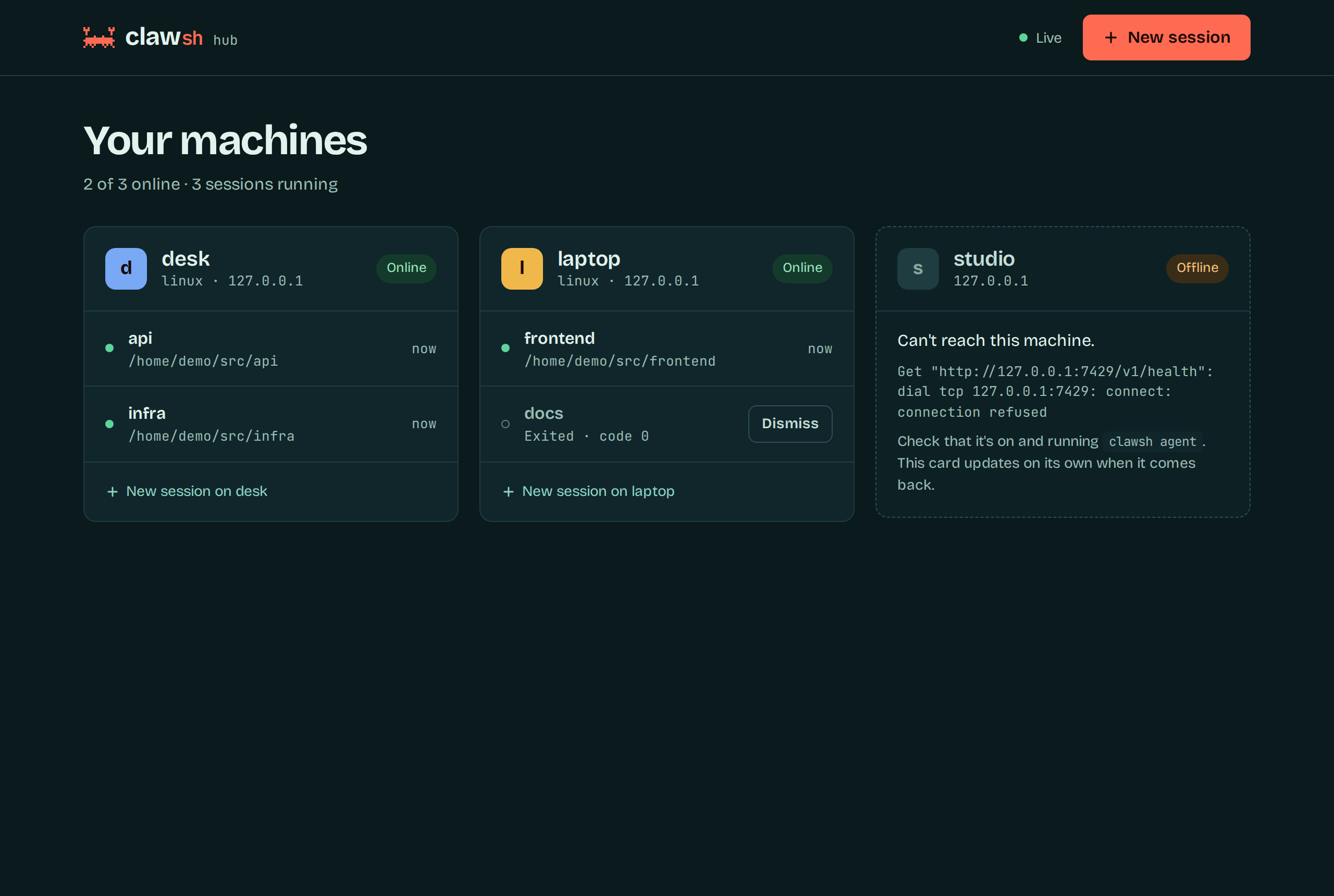
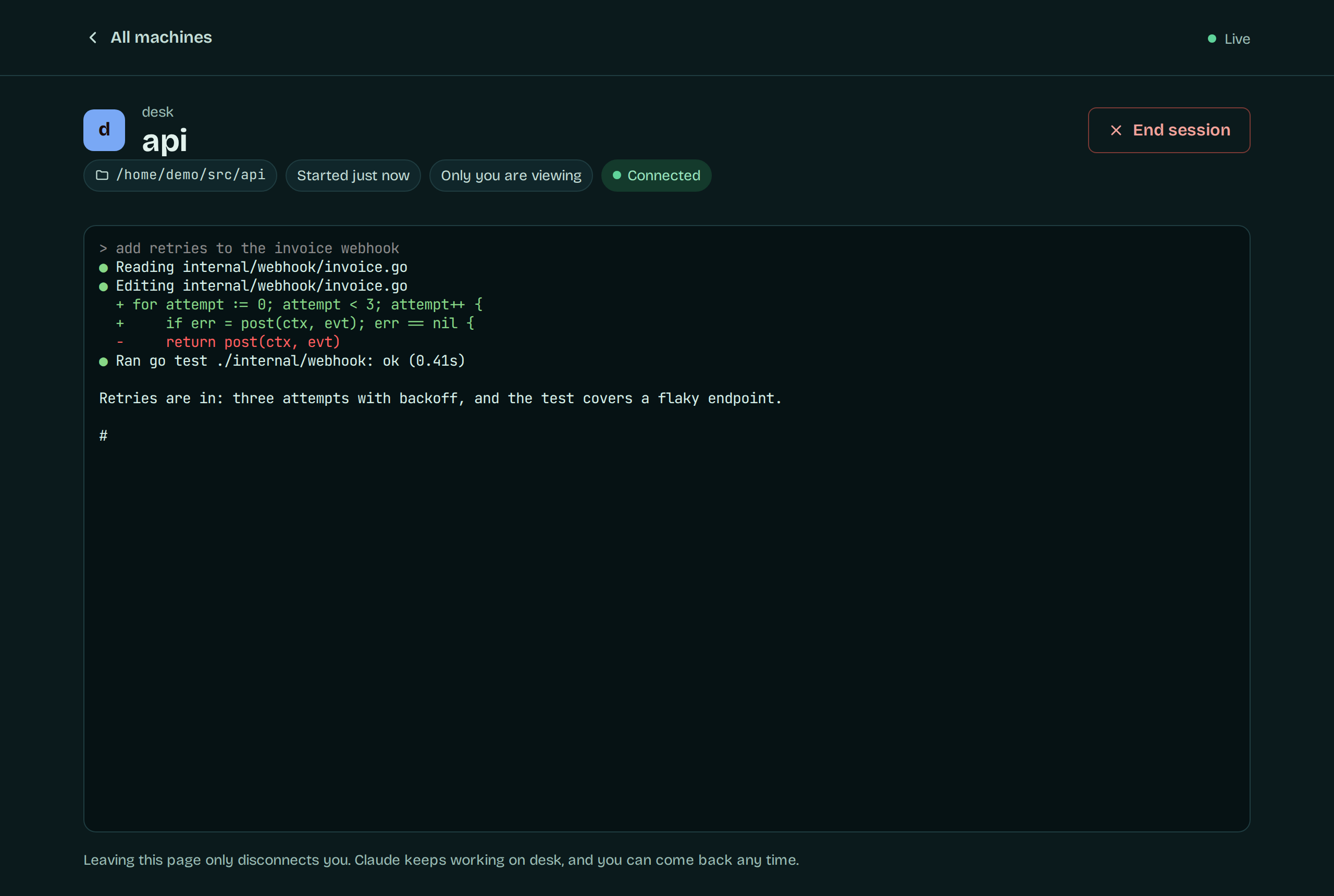
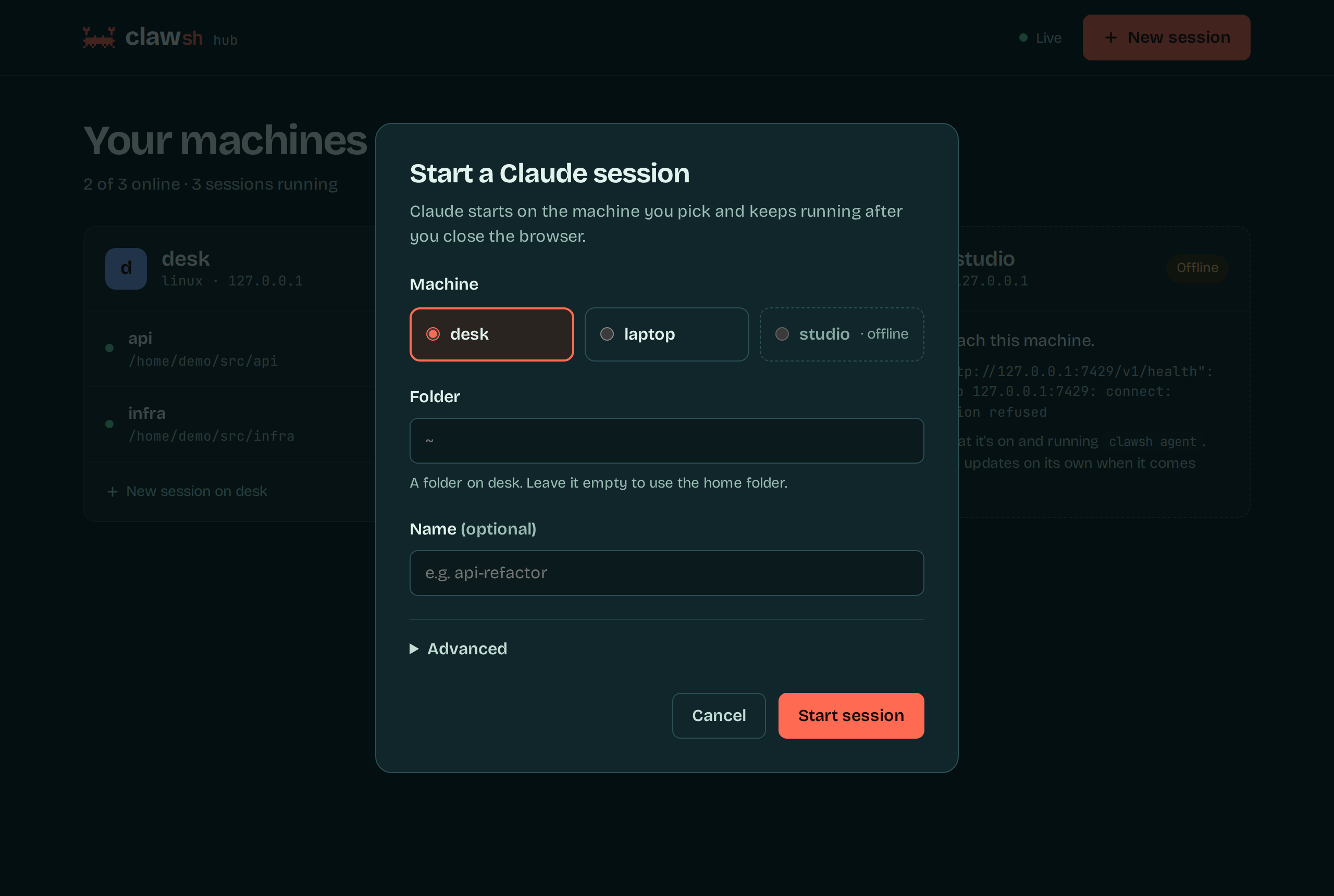
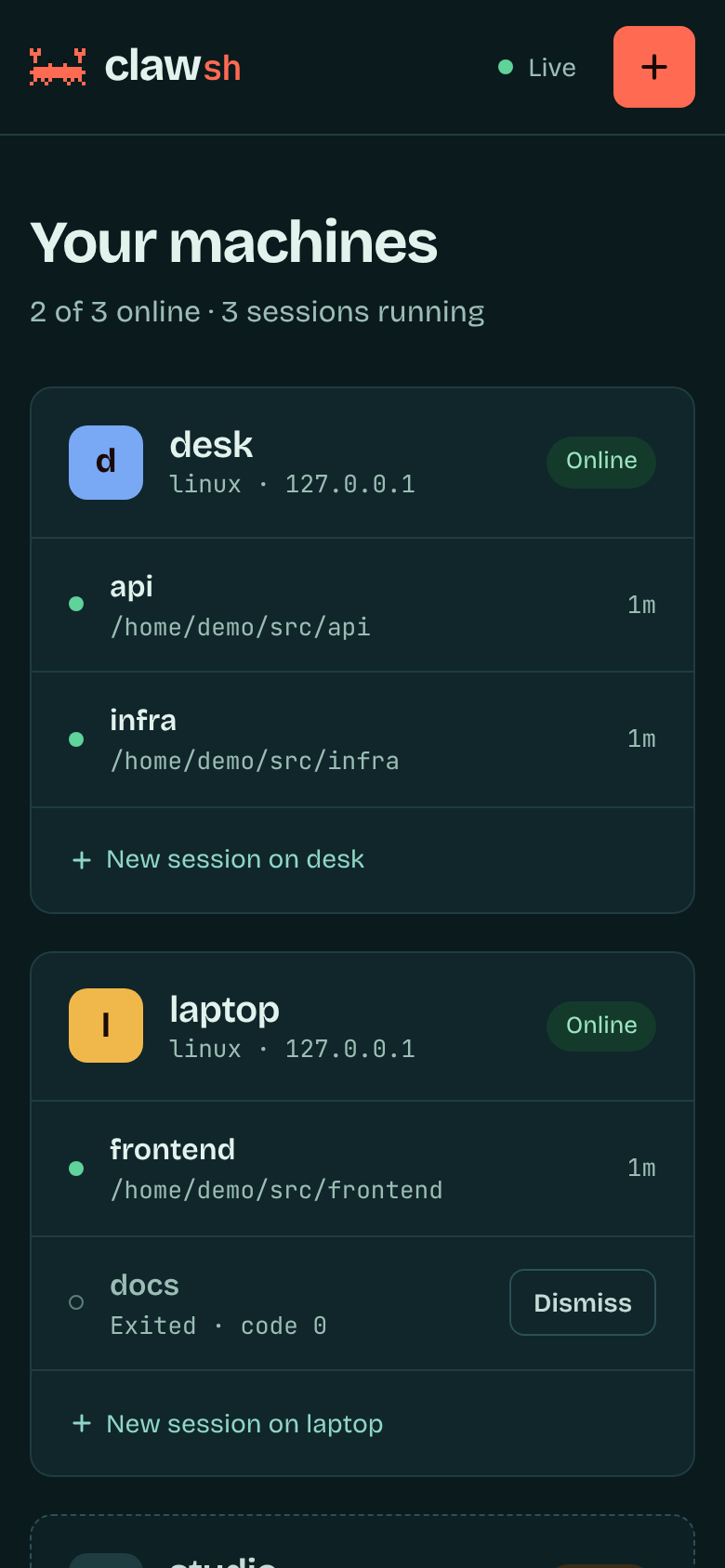
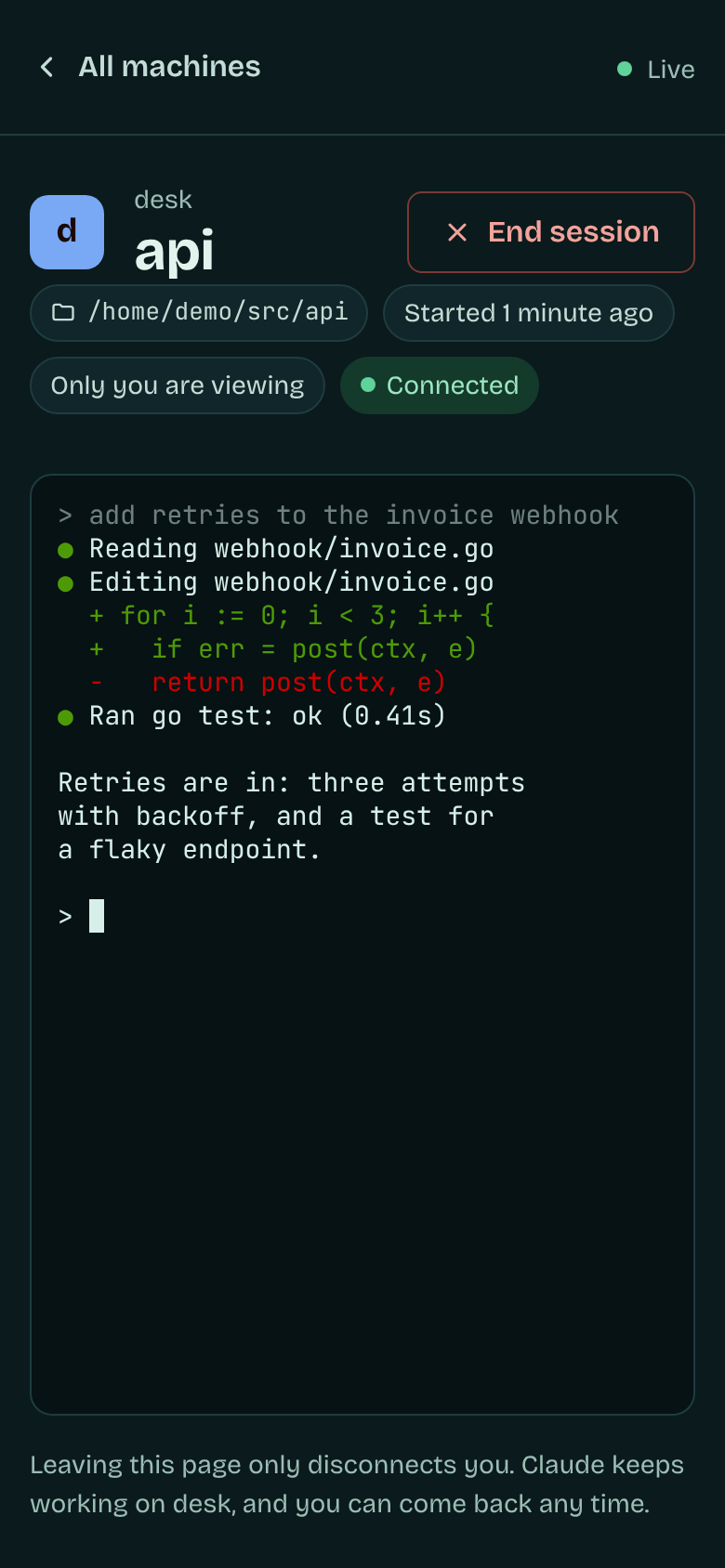
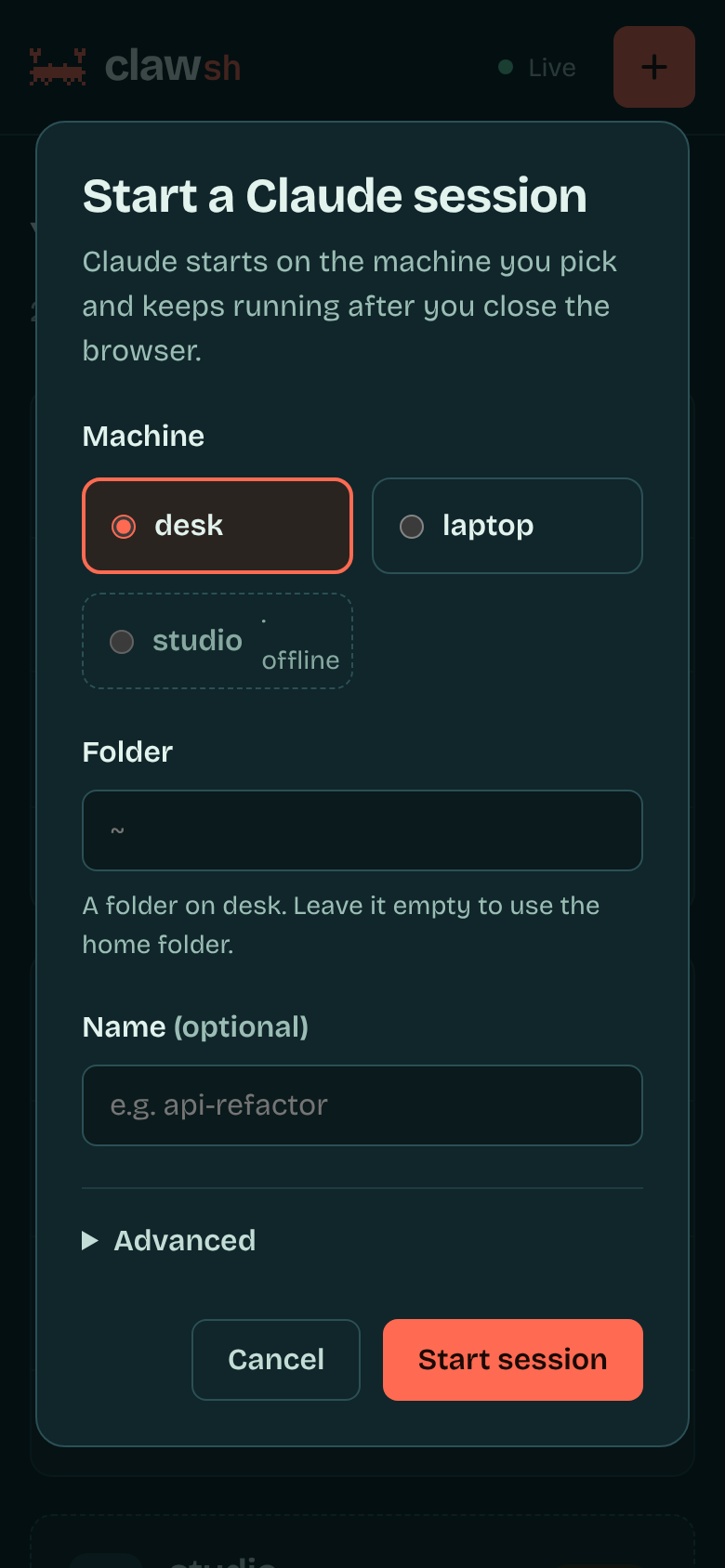
Works today in the browser on the computer running clawsh web. The page already fits a phone; opening it from one is next on the roadmap.
What clawsh is
A small manager for Claude Code sessions across your machines. One binary for Windows, Linux and macOS plays every part.
An agent on each machine
clawsh agent keeps claude running in a terminal of its own, so the work carries on after you leave, and remembers recent output for when you come back.
A web page that sees them all
clawsh web lists every machine and session, opens any of them in a full terminal, and starts new ones.
Or a shell, if you'd rather
clawsh ls, new, attach and kill do the same from any terminal. See the CLI.
What people use it for
Anything where Claude Code should keep running somewhere and you want an easy way back to it.
Start sessions on any of your machines
Pick the machine and folder in the browser, or run clawsh new desk. The session starts there, on that machine's files and tools, not on the one you're typing at.
Manage every session in one place
One page, or one clawsh ls, lists every session on every machine with its folder, age and how many people are watching. Stop the ones you're done with.
Leave it working, come back later
Close the lid or the terminal and Claude carries on. Reattach to the same running session and the recent output is replayed first, so you see where it got to.
Run Claude where the code and hardware are
Put the session on the workstation with the big build, the GPU or the toolchain, and drive it from a light laptop.
Work across Windows, Linux and macOS
The same binary runs on all three, so a mixed set of machines looks the same from where you sit.
Run several projects side by side
Keep one session per project or branch going at once, and hop between them from a tab or with clawsh attach instead of juggling terminal windows.
Claude Code, with and without clawsh
clawsh doesn't replace Claude Code. It runs the same claude you already use, with your account, settings and MCP servers, and takes care of where it runs and how you get back to it.
| What | Claude Code on its own | Claude Code with clawsh |
|---|---|---|
| Where it runs | In the terminal you started it from. | On any machine running an agent, started from wherever you are. |
| You close the terminal | The session ends, or the SSH drop takes it with it. | Claude keeps working. Come back when you like. |
| Coming back | claude --resume starts a new process with the old conversation. |
Reattach to the same running session, recent output replayed first. |
| Seeing everything | A terminal window per session, per machine. | Every machine and session on one page, or one clawsh ls. |
| Starting on another machine | SSH in, cd to the project, run claude. |
Pick the machine and folder in the browser, or clawsh new desk. |
| In a browser | Not for sessions on your own machines. | A full terminal per session in a tab. Phones next. |
| Mixed operating systems | Each machine on its own. | Windows, Linux and macOS side by side. |
| Where traffic goes | Between claude and Anthropic. | The same, plus your own network between your machines. No clawsh server. |
tmux or screen keep a session alive on one machine. clawsh does it across machines, with a page that shows them all.
Install
The same binary goes on every machine that runs Claude and on the one you drive from. About five minutes, most of it copying a token.
Get the binary
curl -fsSL https://varogonz95.github.io/clawsh/install.sh | sh
Puts clawsh in ~/.local/bin, no sudo. It checks the download against the release's checksums. Read the script.
irm https://varogonz95.github.io/clawsh/install.ps1 | iex
In PowerShell. Puts clawsh.exe in %LOCALAPPDATA%\Programs\clawsh and adds it to your PATH, no admin. Read the script.
npm i -g clawsh-cli
Node 18 or newer. Installs the clawsh command; npm fetches only the binary for your platform.
git clone https://github.com/varogonz95/clawsh.git
cd clawsh && make build
Go 1.22 or newer. Prebuilt archives are also on Releases.
-
Start an agent on each machine
Wherever Claude Code is installed. It listens on port 7420 and makes a token on first run.
clawsh agent clawsh token # print it -
List them where you drive from
One entry per agent in
hosts.toml.clawsh helpshows where it goes.[[host]] name = "desk" url = "http://192.168.1.20:7420" token = "paste-token-from-desk"
-
Open the web UI
It opens your browser. Ctrl-C stops the page, never the sessions.
clawsh web
Prefer a terminal?
Every page action is a command too. Attach takes over your terminal; Ctrl+] hands it back and leaves Claude working.
$ clawsh ls
TARGET           NAME      STATUS     AGE
desk/815856a6    api       running    2h14m
desk/c01d9e42    infra     running    47m
laptop/3fa0c1b7  frontend  running    12m
studio/9e27aa10  docs      exited(0)  3h02m
$ clawsh attach desk/8158
What's next
clawsh is young. This is the plan in rough order, with no dates. The full list and the open issues are on the roadmap.
Working today shipped
- Agent and CLIStart, list, attach to and stop sessions on any machine.
- Web UIEvery machine and session in a browser tab, with a full terminal. This computer only for now.
- Claude Code pluginStarts an agent for you and lists sessions started outside clawsh. Experimental.
Up next next
- Status and alertsSee which sessions are working, idle or waiting for you, and get a nudge when one needs input.
- Web UI over your networkOpen it from a phone or another computer (#6).
- Edit machines from the pageNo more hand-written hosts file (#8).
- Interactive terminal viewA session list you can attach to and return from.
Later planned
- HardeningAgent as a system service, auto-reconnect, and cleaner session stops on Windows.
- Several viewersA sensible rule for terminal size when more than one person is watching.
- Safer networkingTLS or Tailscale support, and finding machines automatically.
- MoreSplit-pane views and sessions that survive an agent restart.
Something missing? Open an issue or start a discussion.
Before you rely on it
A token lets its holder run claude on that machine
Traffic between agents is plain HTTP, so keep them on a network you trust. An agent only ever runs the claude executable it was started with; the API can add arguments but can't pick the program. The web UI listens on this computer only, with a fresh key each launch.
What doesn't work yet
- Opening the web UI from a phone or another computer (#6), and editing machines from the page (#8).
- Stopping an agent stops its sessions.
claude --resumebrings the conversation back. - Status is running or exited. Working, idle and needs-input are next on the roadmap.
- Sessions started in a plain terminal show up only with the experimental plugin, and you can't attach to them.